1. What is a Website Control Panel?
A website control panel is a secure online dashboard that allows you to manage your website, files, databases, dns records like Nameservers, MX records, TXT records, CNAMEs, and settings in one place. It acts as the central management interface where website owners can control various aspects of their website without needing advanced technical knowledge.
Our control panel is secure and custom-tailored for our customers, designed to be simple, fast, and efficient for everyday website management tasks.
2. How do I access the Website Control Panel?
You can access your website control panel by following these steps:
Open your web browser.
Go to the control panel login URL provided below.
Control Panel URL:https://dedi.aligzo.in:2083.You will see the login page whose screenshot is given below.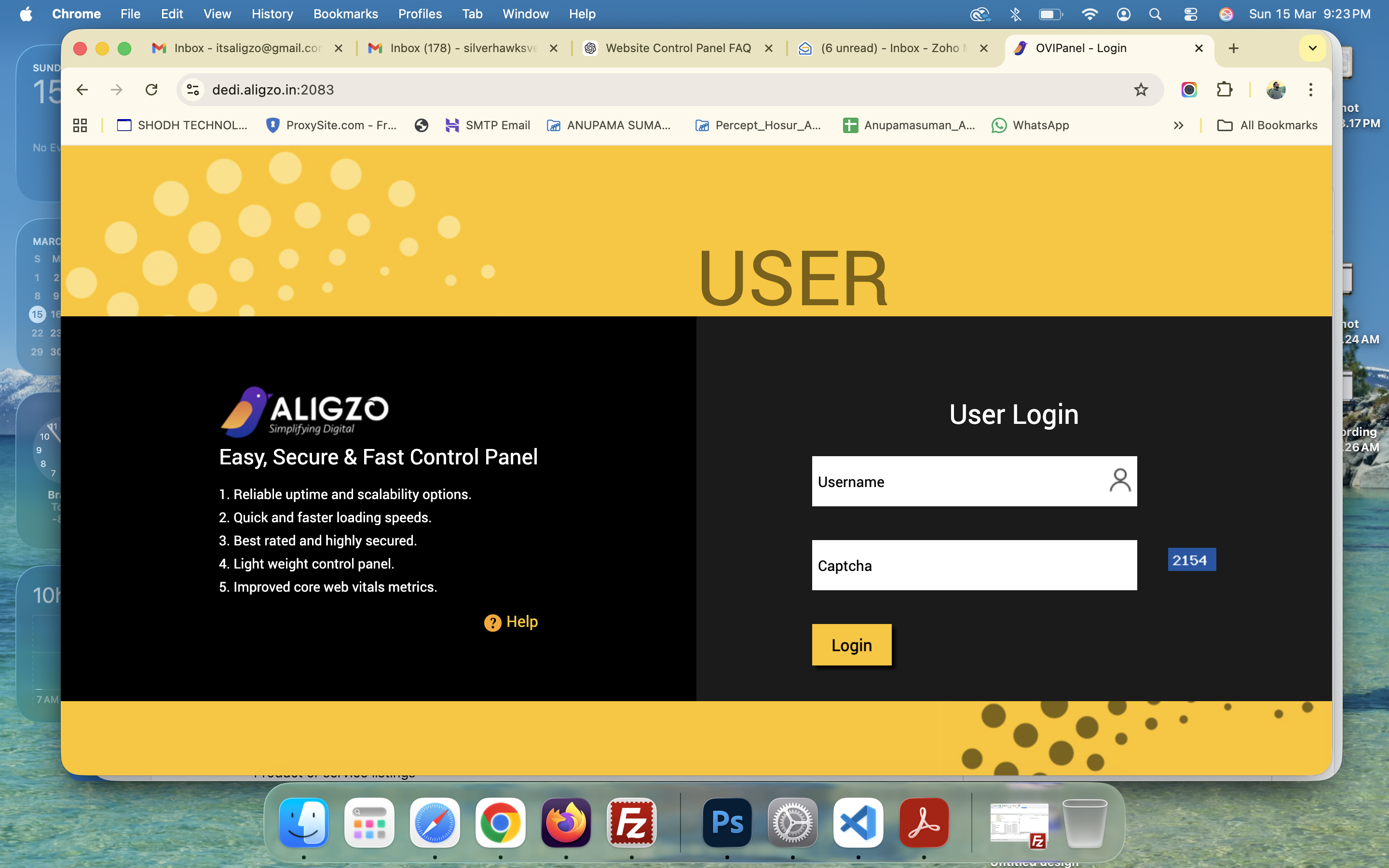
Enter your username and captcha code, and press Login.
After clicking the login button you will be redirected to the password page. See the screenshot below for your reference.
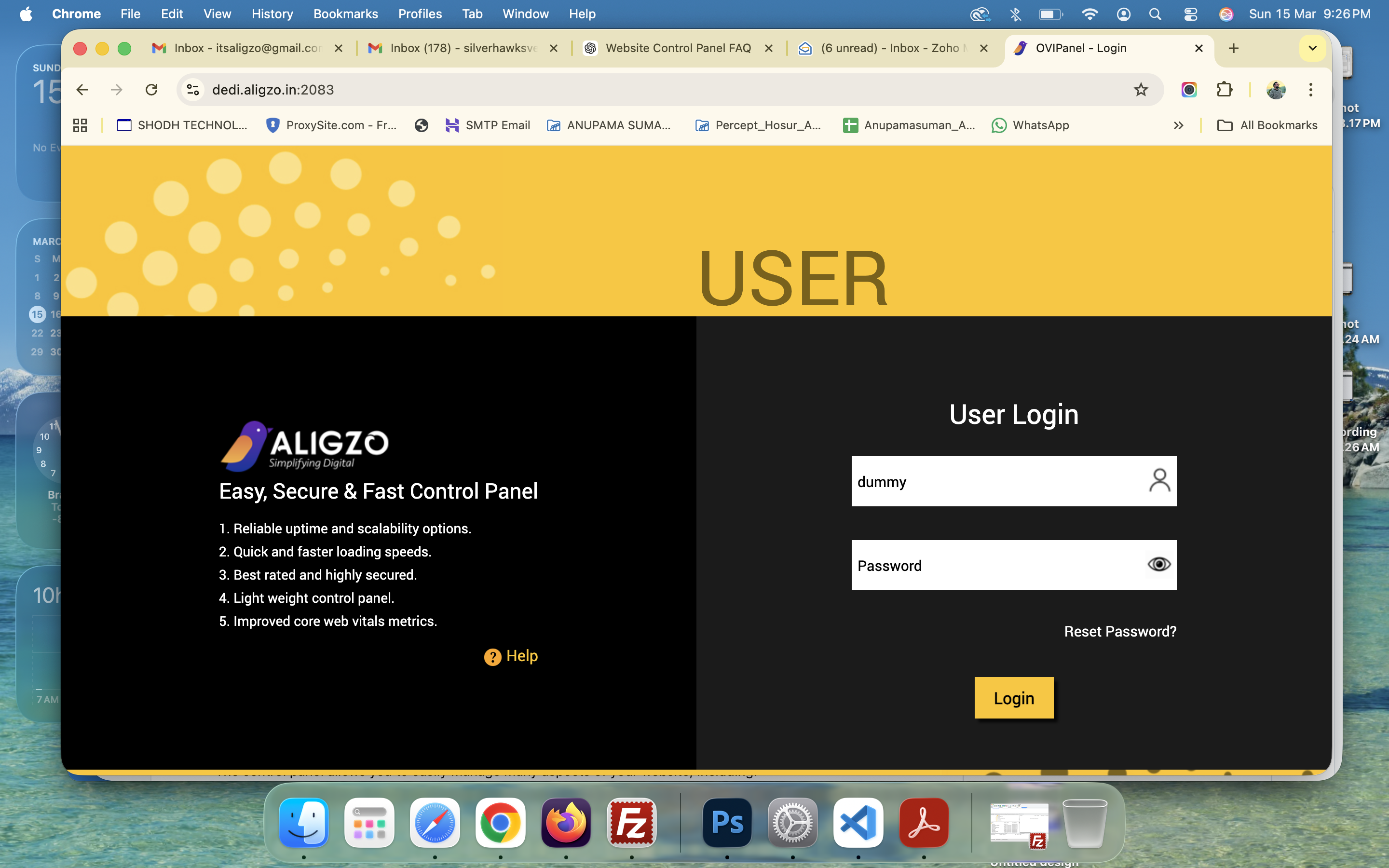
After entering the password you will be redirected to the dashboard page, here you will be able to manage your website settings and content. See the screenshot below.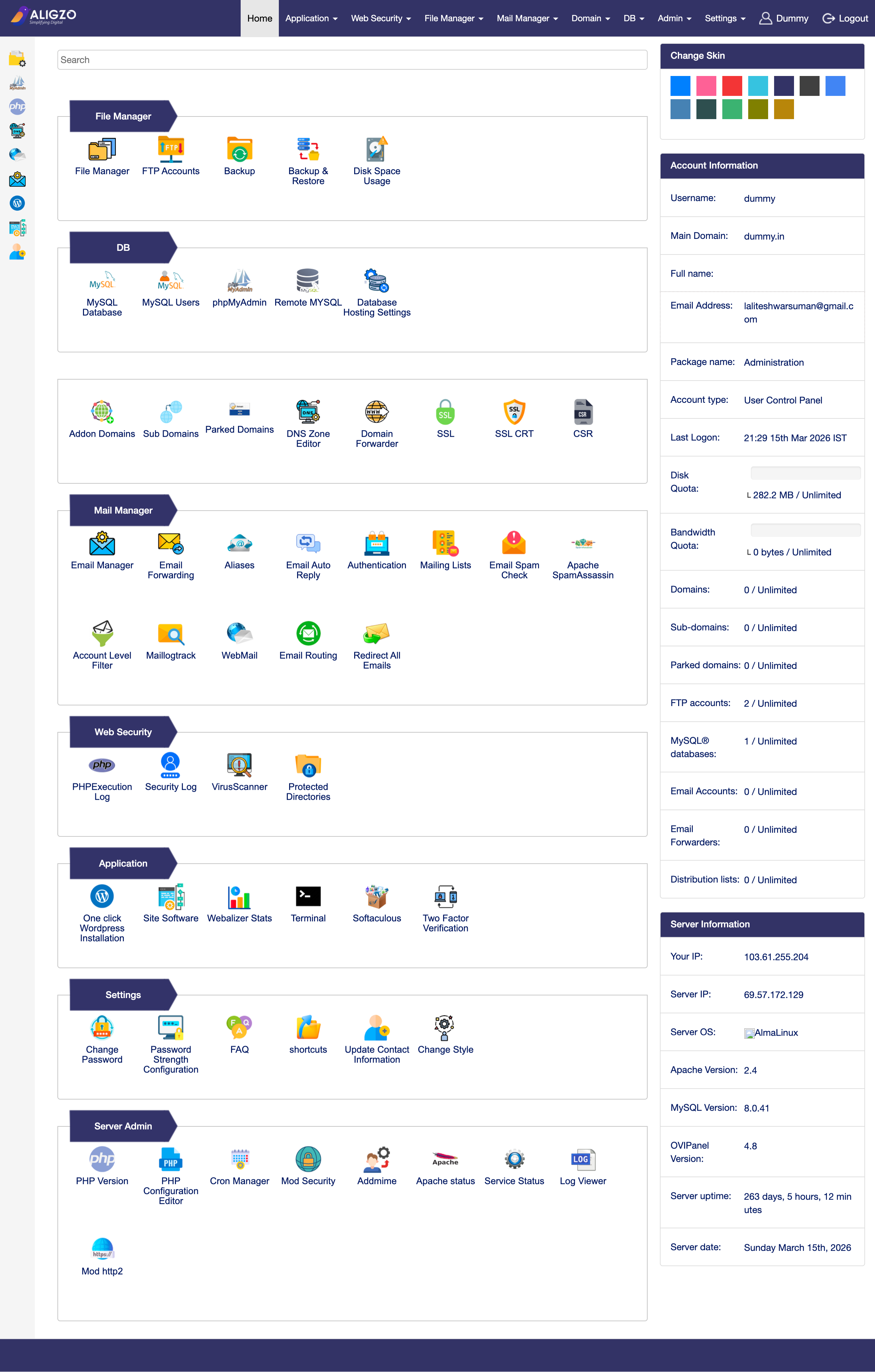
3. What can I manage from the Control Panel?
The control panel allows you to easily manage many aspects of your website, including:
Website files, FTP Accounts, and uploads
DNS Records like Nameservers, MX, TXT, CNAME, DKIM, A record etc.
Manage SSL Certificates
Manage Emails (Create/Edit/Delete).
Access Webmail
Webmail URL: https://dedi.aligzo.in:2096/
MySQL Database, MySQL Users, PHPMyAdmin, PHP Version etc
Wordpress Management
Website settings and configurations
All tools are organized in a simple dashboard to make management quick and efficient.
4. Is the Control Panel secure?
Yes. The control panel is designed with strong security features to protect your website and data.
Security features include:
Secure login authentication
Encrypted connections (HTTPS)
Protected user access controls
Secure server environment
This ensures that only authorized users can access and manage the website.
5. What are the benefits of using the Control Panel?
Using the control panel provides several advantages:
✔ Easy Website Management – Manage your website without technical expertise.
✔ Fast Access – Quickly update content, products, and images.
✔ Custom Built for Customers – Designed specifically for ease of use.
✔ Secure Environment – Built with security best practices.
✔ Centralized Dashboard – Manage everything from one place.
6. Do I need technical knowledge to use the Control Panel?
No. The control panel is user-friendly and designed for both beginners and advanced users. Most tasks can be performed using simple forms and buttons without coding.
7. What should I do if I cannot access my Control Panel?
If you are unable to log in:
Check your username and password
Ensure your internet connection is stable
Clear your browser cache or try another browser
If the issue continues, please raise a ticket, and our support team will assist you on priority.
Was this article helpful?
That’s Great!
Thank you for your feedback
Sorry! We couldn't be helpful
Thank you for your feedback
Feedback sent
We appreciate your effort and will try to fix the article